A Buyer’s Premium is an additional fee that a winning bidder is required to pay above the auction “hammer” price (winning bid amount).
This fee is determined by the Seller and is typically independent of any other charges such as shipping, storage, sales tax, etc.
Finding the Buyer’s Premium
The Buyer’s Premium will be displayed on every Lot detail page underneath the Lot Description.
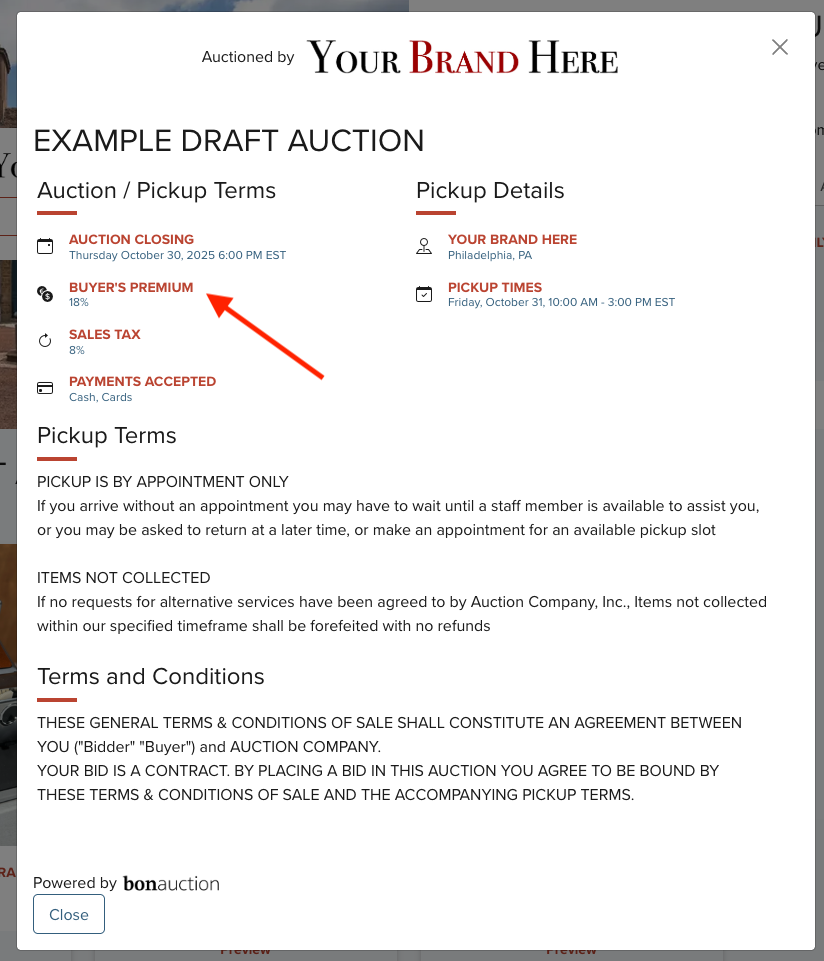
You can also find the Buyer’s Premium within the Auction / Pickup Terms:
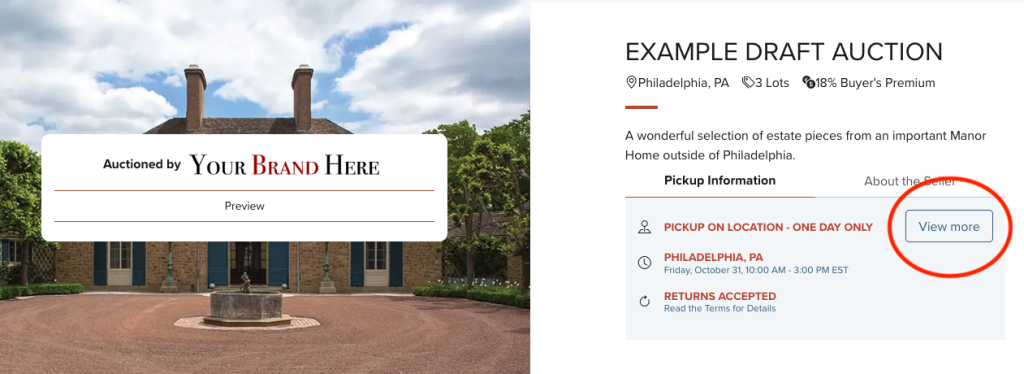
- On the Auction page, click on “View More” in the Pickup Information box under the auction description.
- The Buyer’s Premium will be listed under the Auction / Pickup Terms in the left-hand column of the pop-up.
Calculating Buyer’s Premium
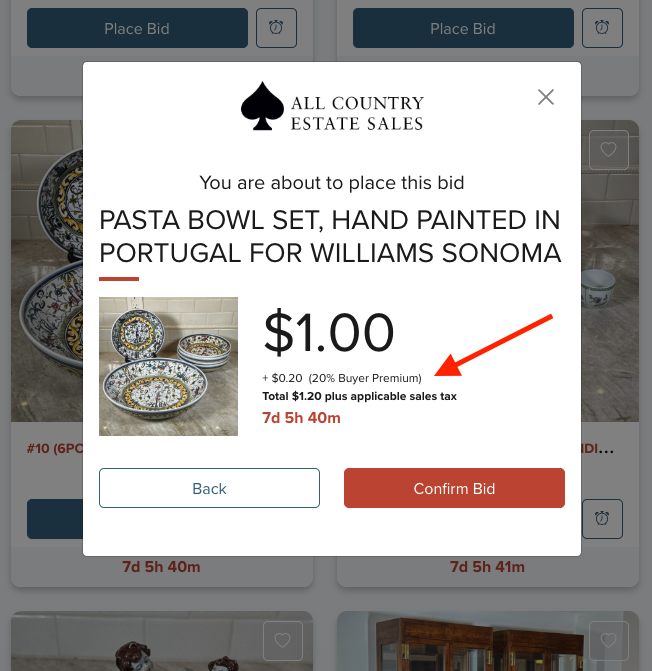
When placing a bid on a lot, you will be asked to confirm your bid before it’s finalized.
The Buyer’s Premium will be displayed for you on the confirmation page, along with the calculated total item price (bid + premium) before applicable sales tax.