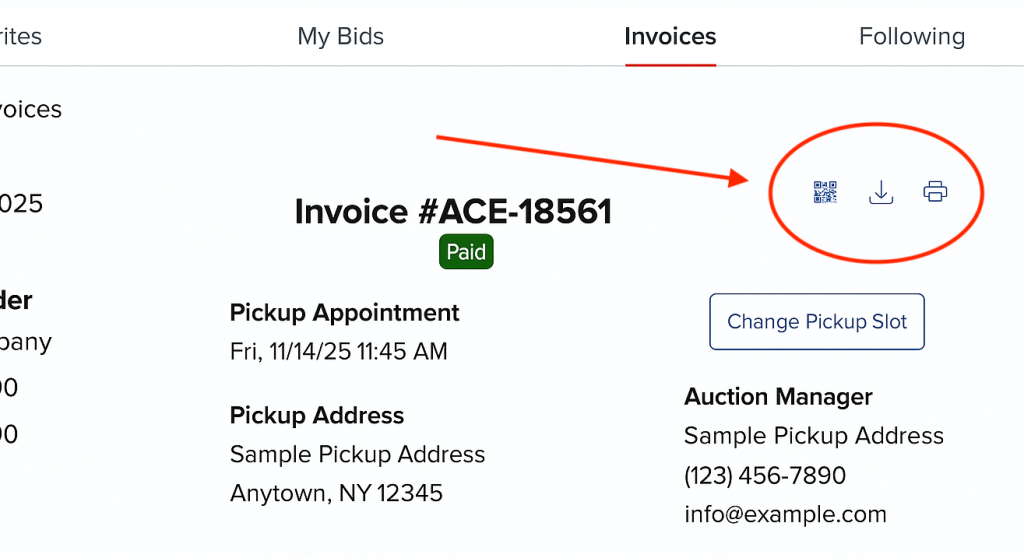
You can download your invoice as a PDF or print a copy of your invoice directly from your dashboard:
- Go to your Dashboard
- Select the Invoices tab
- Click the Invoice Number in the left-most column to open the Invoice
- To the right of the invoice number are three icons:
- QR Code — opens your pickup code
- Download — downloads a PDF of your invoice
- Printer — prints your invoice directly from your browser