
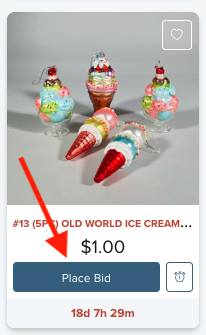
To place a bid, click on the blue Place Bid button on either an Auction Lot tile or on a Lot’s Description page.
Enter your bid amount in the “Bid” box and click “Place Bid“.
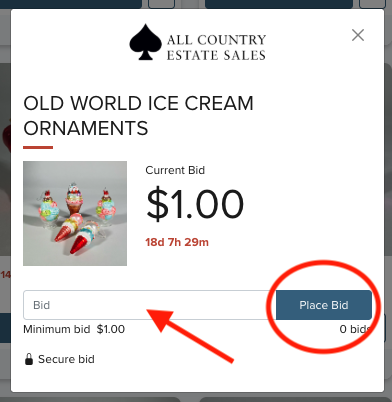
Review your bid and click “Confirm Bid.” (Note that your bid must be equal to or greater than the “Minimum bid” displayed beneath the “Bid” box.)
Note that your submitted bid amount does not include any applicable Buyer’s Premium or Sales Tax.