How to create an account.
Follow these step-by-step instructions to sign up and use your bonauction ID to bid on any partner site.
Creating an Account
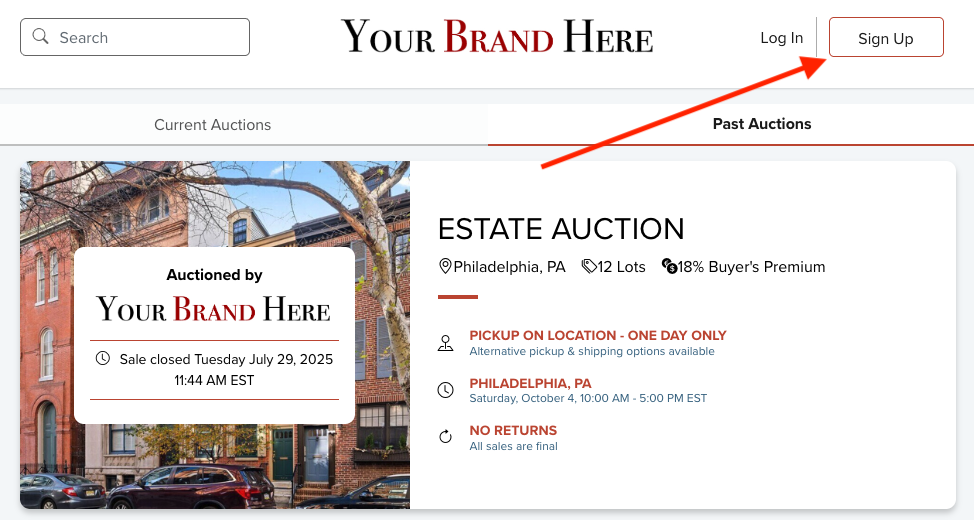
1. On any private Seller site or bonauction marketplace, click the Sign Up button in the upper right-hand corner.
2. Enter your email and click the red Continue with bonAuction button.
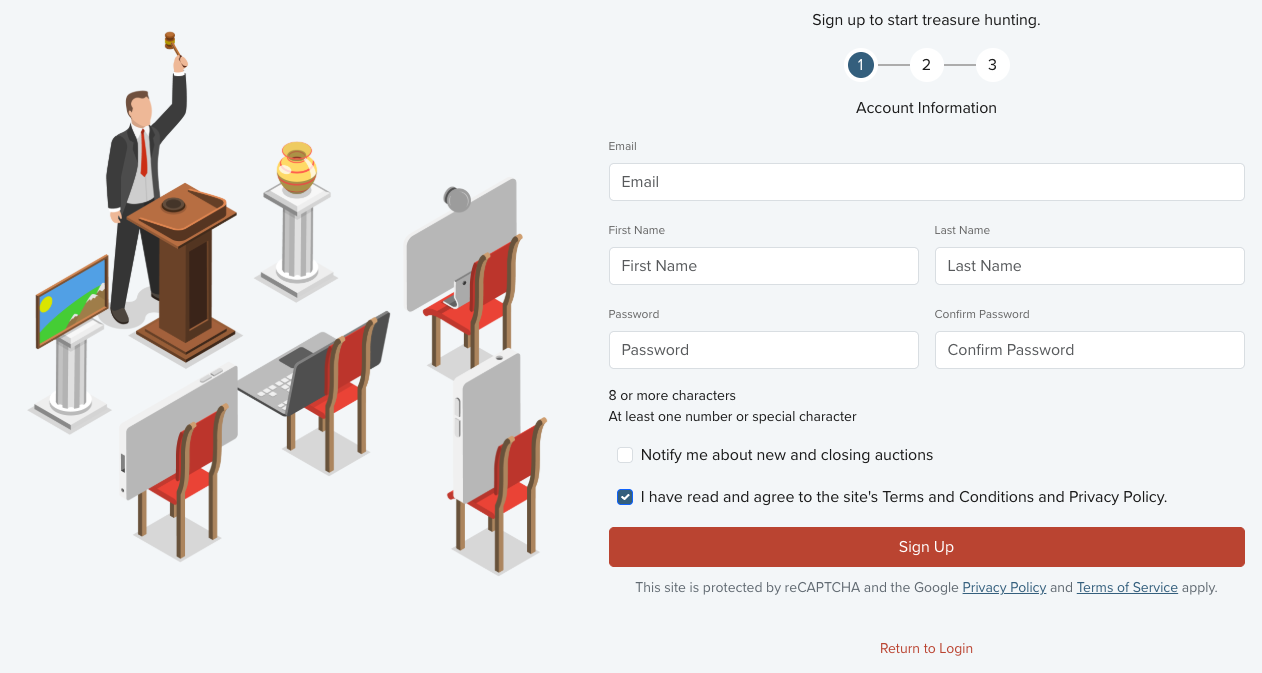
3. In the next window, enter your first name and last name; in the fields below, create a password and enter it again into the confirm password field.
4. Check the box to confirm that you have read and agree to the site’s Terms and Conditions and Privacy Policy.
5. Click the red Sign Up button.
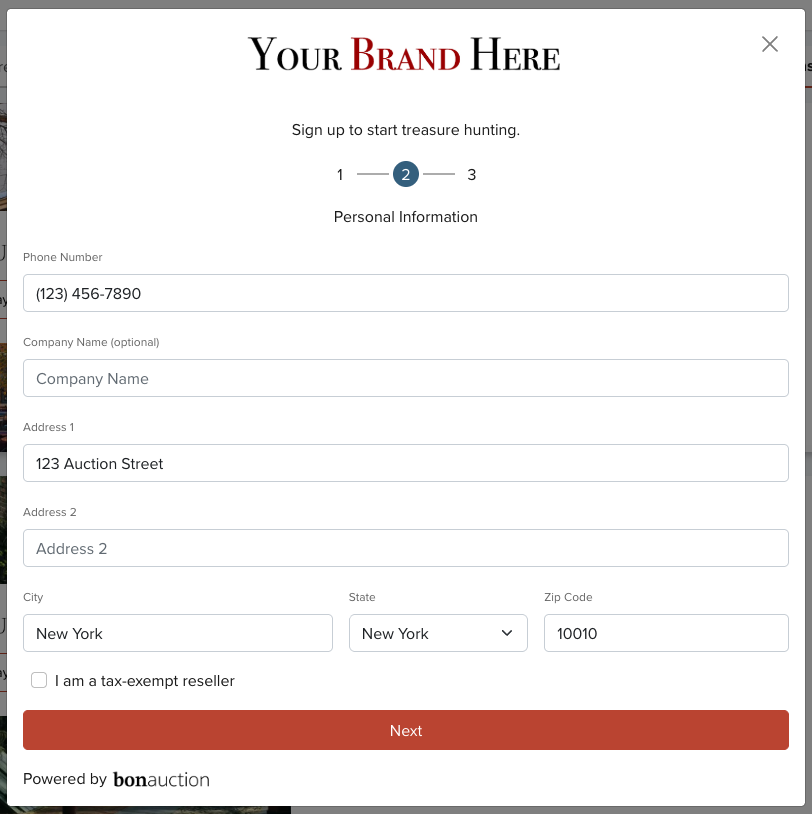
5. Fill in your contact information:
- Phone Number
- Company Name (optional)
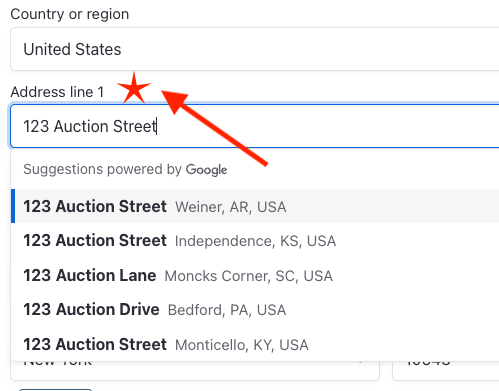
- Address 1
- Address 2 (if applicable)
- City, State, and Zip Code
6. Click the red Next button.
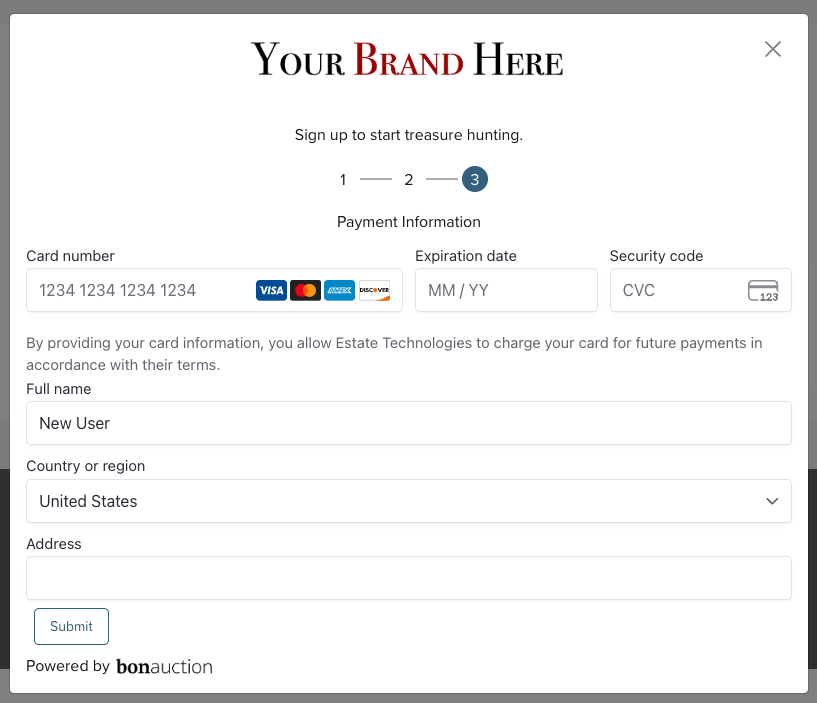
7. You will be prompted to link a credit or debit card to your account. Enter the following information:
- Card Number
- Expiration Date
- Security Code
- Cardholder Name
- Billing Address
Click here to learn why a credit card is required to bid.
8. Finally, you will be prompted to submit a verification code sent to your email. Check your email inbox for the code, enter the code into the box, and click the red Verify button.
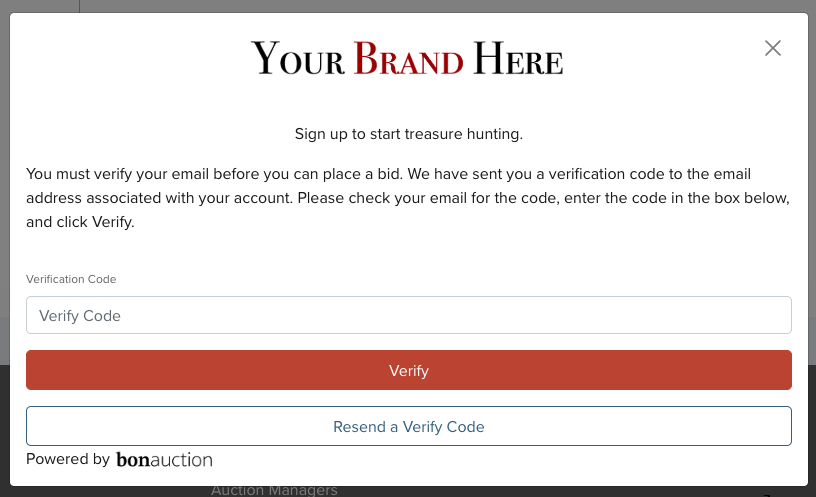
If you need help verifying your email address, click here for more information.
Signing Up Without a Card
You can create an account to browse and favorite items without providing a payment method.
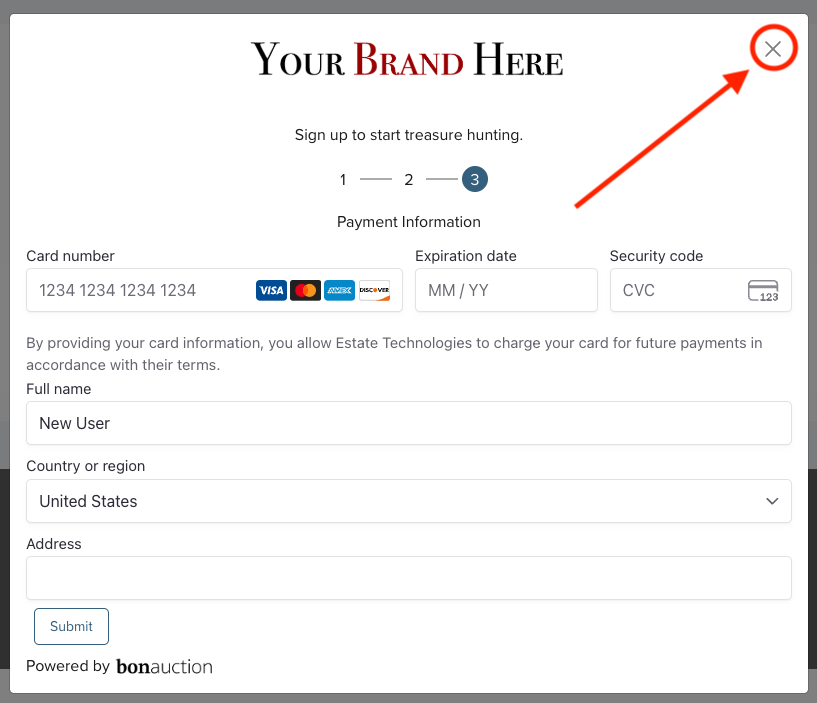
Bypass the payment step by simply clicking on the X in the upper right corner of the sign up window once you reach the Payment Information stage.
Add Payment Info Later
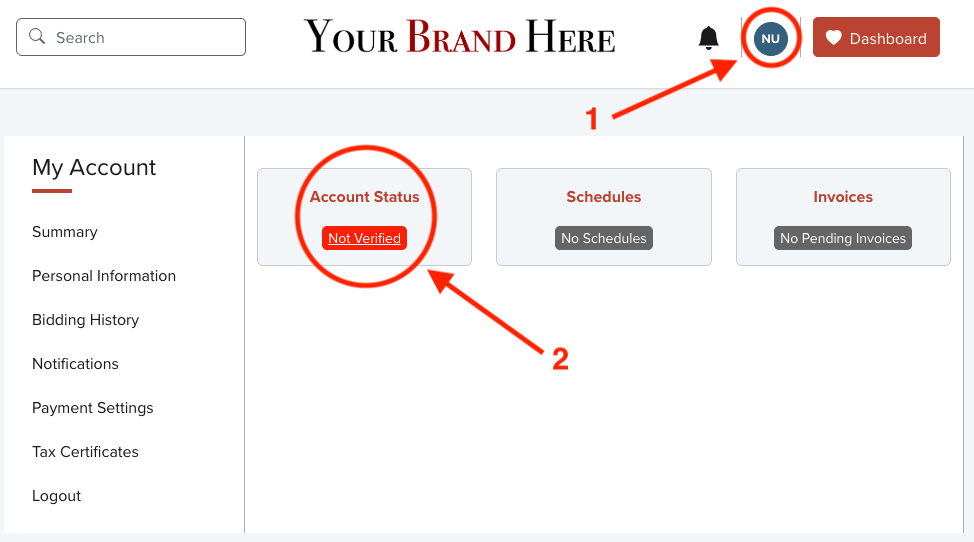
- Navigate to My Account by clicking on the blue circle with your initials in the upper right-hand corner of any page.
- In the “Account Status” box, click the red Not Verified text.
- Fill in your Payment Information.
- Click the Submit button.
- Check your email for a verification code.
- Enter the verification code and click the red Verify button.
- Now you are ready to bid!